Keep the source. Build your understanding.
Save pages and notes in Arivu on your own server. Read the original text, ask about chosen passages, and keep cited answers beside your own writing.
New in Arivu 1.8.0: a refreshed look across the whole app. See what changed.
# Install with the guided installer
curl -fsSL https://install.arivu.app \
  | sudo bash

# Preview what it will change
arivu-installer plan \
  --domain arivu.example.com \
  --admin-email admin@example.com

# Keep it current
sudo arivu-installer upgrade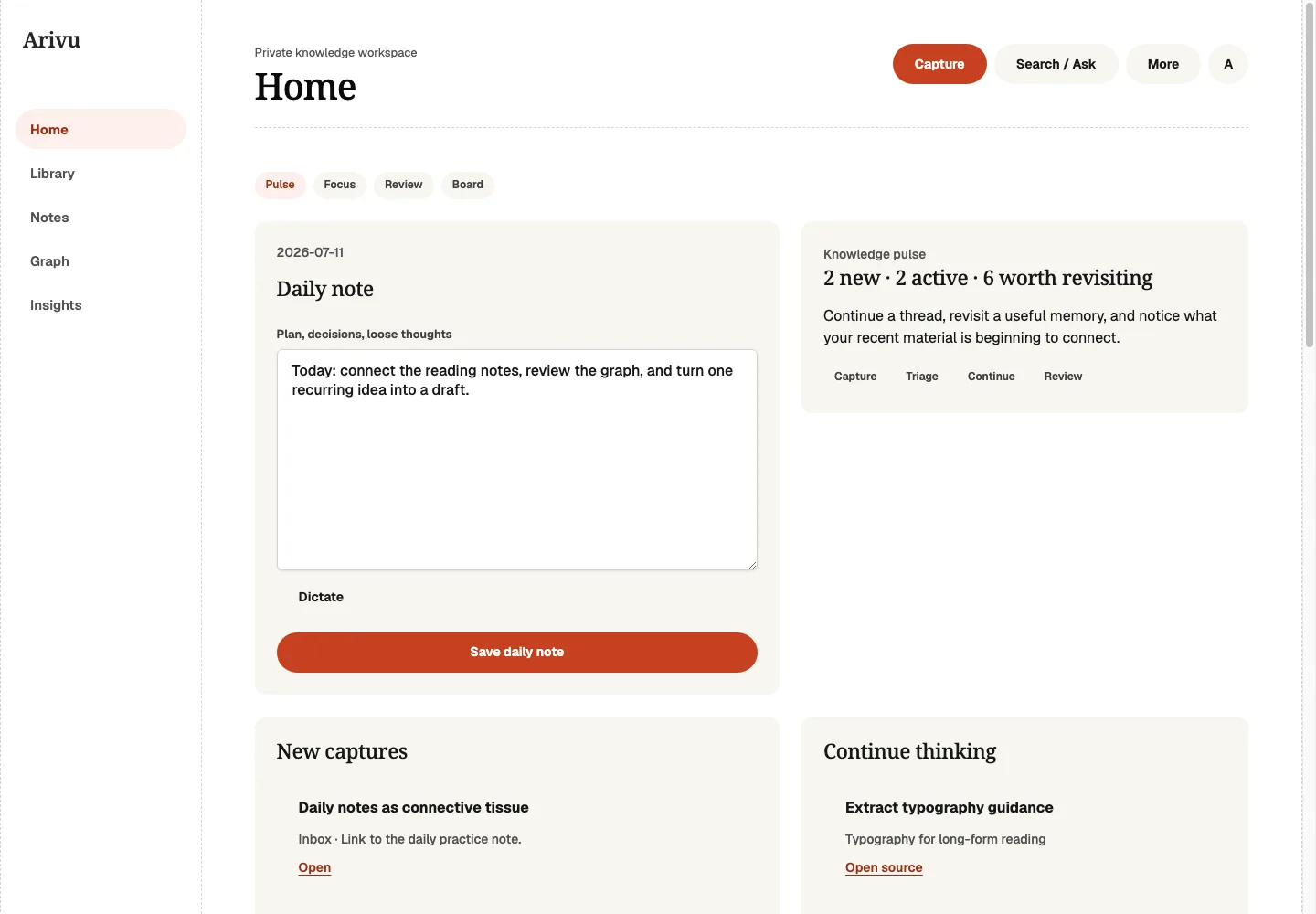
Arivu, with invented reading notes. One Go binary and SQLite run the core app.
Capture. Understand. Remember. Reuse.
Save a source without folders or AI setup. Choose how to use it when you return.
- Capture
- Keep a link, note, quote, or file, with retained capture history and source evidence.
- Understand
- Read preserved text, then preview the passages an AI conversation can use.
- Remember
- Try three source-based questions when you want practice. No study queue.
- Reuse
- Save an answer as an editable note, with its quoted evidence and source links.
Four places. No planning dashboard.
Home, Library, Notes, and Search keep saved material close. Review and Graph remain under More when you need them.
Explore all features- Home
- Return to recent sources, notes, and material worth revisiting.
- Library
- Browse saved and authored material first, then open generated concepts and entities.
- Notes
- Write in your own words and keep links back to the source.
- Search
- Find saved text locally. Open Ask to choose passages for a conversation.
Capture quickly. Find it again with context.
Search runs locally. Chat and quizzes use a configured AI provider only after you preview the passages and agree to send them. Self-hosted storage does not mean local AI.
Capture and Library guide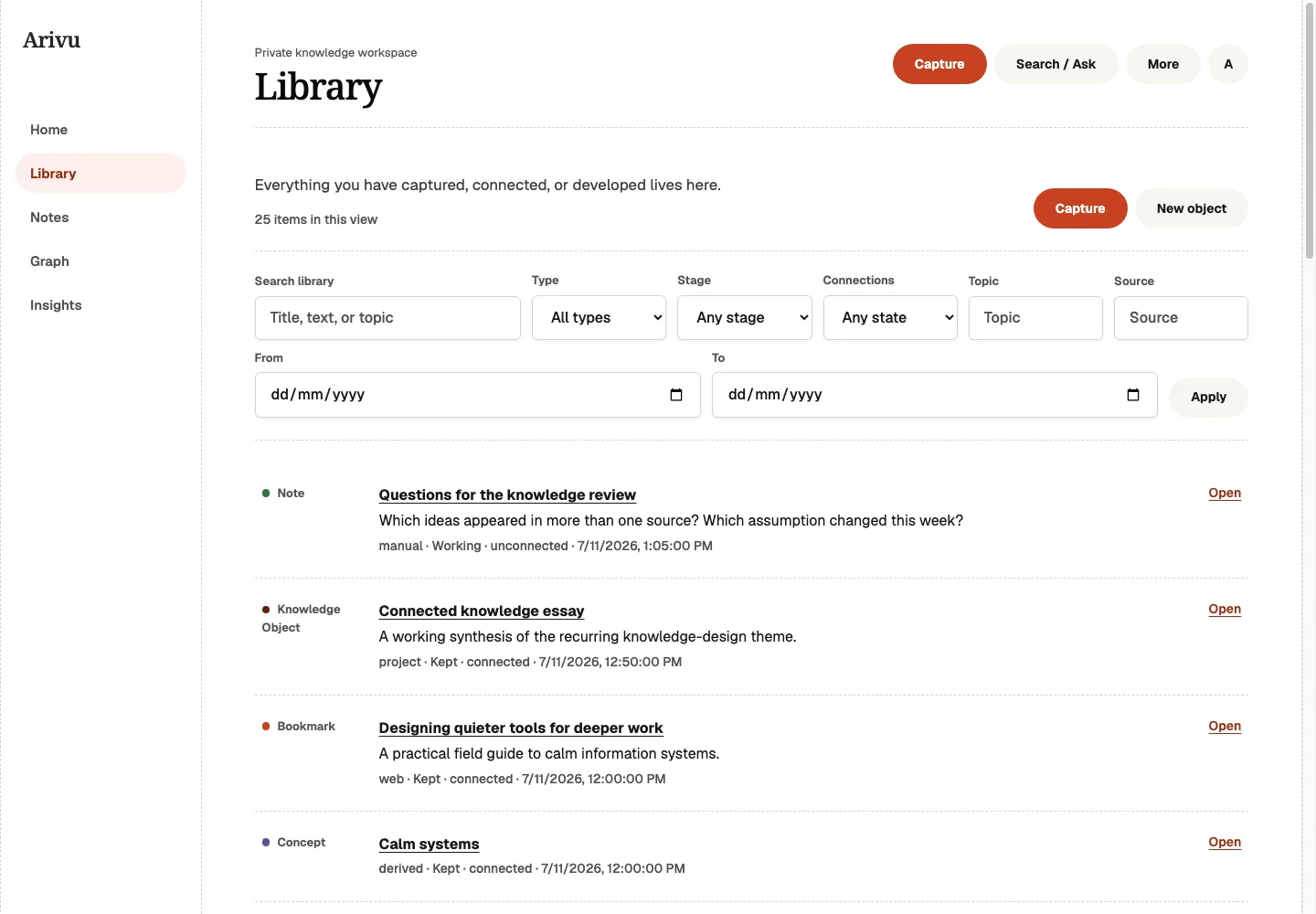
Keep evidence private, or publish a deliberate snapshot.
Reader progress, capture history, local article images, and retained source artifacts help you return to research. Optional nested collections and ongoing RSS or Atom subscriptions add structure without making it a capture prerequisite.
- Complete background capture
- Fresh installer deployments can preserve rendered evidence, local images, screenshots, and offline HTML, with a core-only opt-out.
- Point-in-time sharing
- Create a secret-link copy that excludes private workspace fields, then list, expire, or revoke it.
- Asset-aware recovery
- Installer backups keep SQLite and the adjacent asset store together, with a manifest that restore verifies.
- Search and Ask
- Find saved text locally, or ask for a cited answer from material you already keep.
Straightforward to run. Straightforward to leave.
The core Arivu app ships as one Go binary backed by SQLite. The guided installer can also manage an isolated native capture runtime, while imports, exports, and backups keep your knowledge portable.
Useful without AI
Capture, reading, notes, links, full-text search, and Graph work without a provider.
Optional enrichment
Add a compatible provider for improved summaries, embeddings, explanations, or synthesis when you want them.
Portable by design
Keep a comprehensible SQLite database, create backups, and move material through common import and export formats.
Keep your knowledge on a server you control.
Arivu is open source, self-hosted, and useful before you connect a model provider.