Notes, Right Where They Belong
Notes now sit in Arivu's primary navigation as a core writing and connection workspace.
Notes are now a primary destination in Arivu.
That sounds like a small navigation change, but it corrects something important about the product. Your own thinking is not an attachment to the things you save. A meeting note, a question, a working idea, or a decision can matter before it has a URL or a polished structure.
A writing space beside your sources
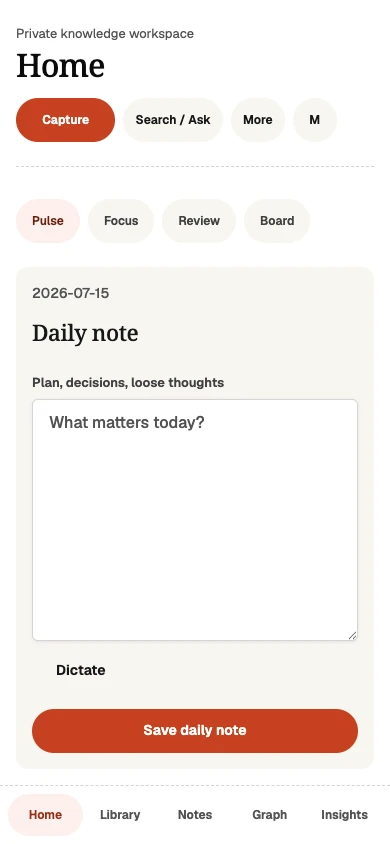
Open Notes from the main navigation to write a standalone note or return to a daily note. Notes can carry tasks and reminders when a thought needs follow-through. They can also link directly to owned bookmarks and other notes.
Those links work in both directions. When you connect a note to a bookmark, the bookmark can show the relationship too. The result is a workspace where writing and reference material strengthen each other instead of living in separate tools.
Daily notes still begin at Home
The daily note remains part of Home, where it sits beside active work, new material, useful memories, and contextual Focus and Review views. Notes in the main navigation do not replace that daily starting point. They make the full writing workspace easier to reach whenever you need it.
Library also continues to include notes alongside other saved material. That unified view is useful when you are filtering or retrieving across content types. The Notes destination exists for a different reason: it is the place to write and work with your own words.
No provider required
Writing, explicit links, backlinks, full-text search, and deterministic graph relationships do not require an AI provider. Optional providers can help with summaries, embeddings, explanations, and synthesis, but the core note workflow remains local and useful on its own.
What stayed compatible
Existing notes, daily notes, tasks, reminders, links, exports, and deep links remain intact. Capture, Library, Search / Ask, Graph, and Insights still recognize notes as part of the same knowledge workspace.
The only thing that changed is the emphasis. Notes no longer hide beneath a broader menu. They are visible where a core feature belongs.