Fewer tools, more time with your sources
Arivu now puts sources, notes, and search first, and retires the task and planning tools. Your old writing is kept as notes.
Arivu got smaller this week, on purpose.
Home, Library, Notes, and Search are now the four places you work in. Review and Graph sit under More. Capture is still one click away everywhere. That is the whole map.
This shipped in Arivu 1.7.0.
What went away
Tasks, recurring reminders, Board, Focus, stage, priority, next-action controls, typed objects, calendar import, and the standalone Insights page are gone.
They were added to help you manage work, and they kept asking you to. Arivu is better at something narrower: helping you keep a source, understand it, remember what matters, and use it later. A calendar or task app can own your deadlines.
What happens to what you wrote
Removing a screen should never mean losing your writing. When you upgrade, anything useful from the old tools becomes an ordinary editable note, and it shows up in search right away. Daily writing turns into dated notes.
Full backups still hold the exact original records, so nothing is thrown away. Edit or delete a converted note and it stays that way, even if you import the same backup again.
A few smaller things changed too:
- Old planning links open Home instead of a dead page.
- Old planning API calls get a clear “gone” answer rather than quietly accepting work that will never run.
- Queued reminder emails no longer send.
- Sign-in and invite pages are plain forms now, without the promo panel.
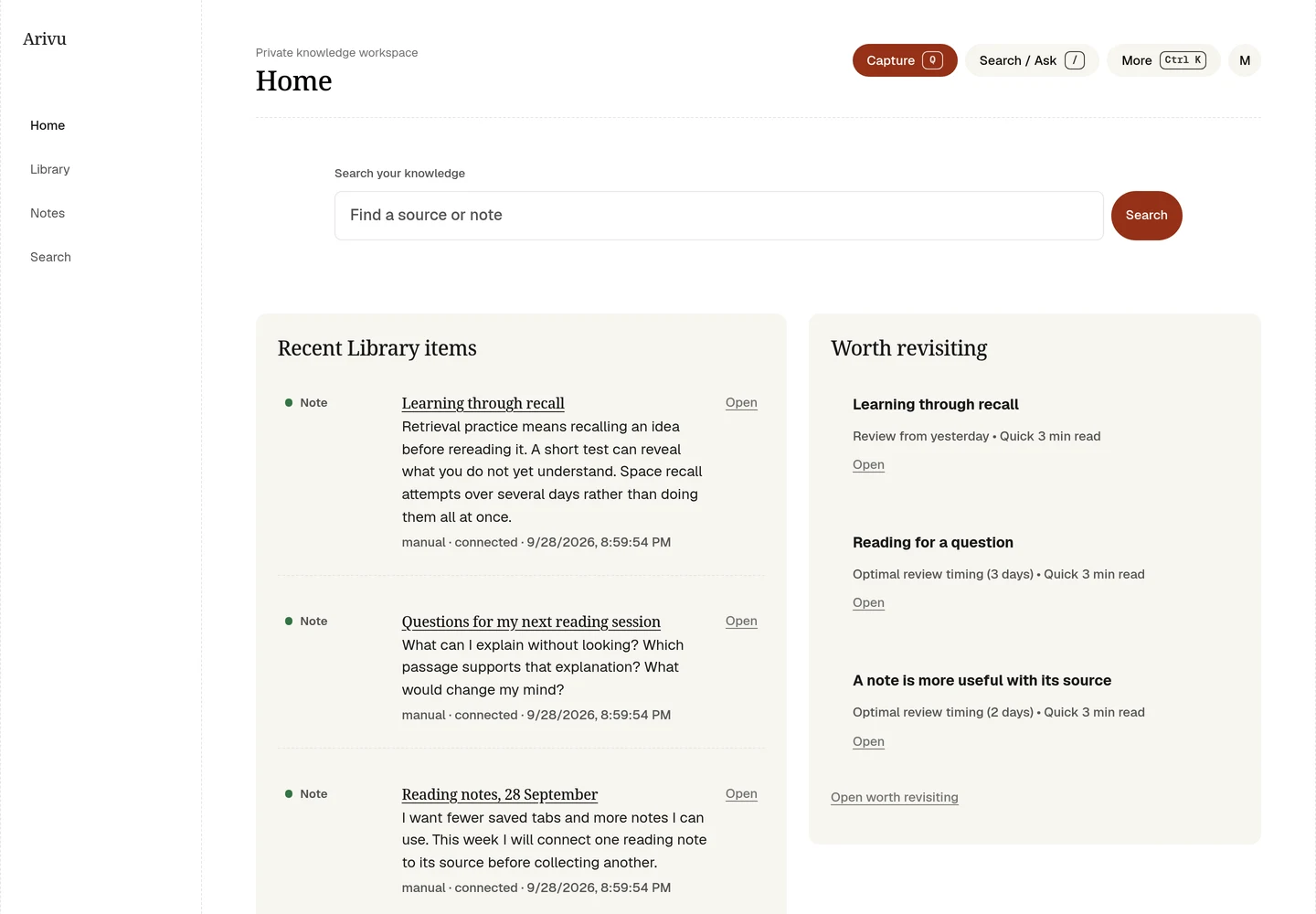
What stays
Self-hosting, capture from the browser extension and CLI, offline capture queues, preserved copies of pages, notes and links, local search, full export, and the light-only design all stay. Graph still lets you inspect a focused set of connections. Review still helps you revisit older material, with no schedule to keep up with.
The source conversations and quizzes from the same week fit this smaller scope: they help you use what you saved instead of adding another queue. AI stays optional for reading, capture, notes, and search.
Read the workflow guide for the new layout and the retirement guide for what happens to old tasks and reminders. As with any upgrade that changes stored data, take a backup first.