Ask your sources, then test your recall
Chat with chosen passages, check the exact quotes behind each answer, save what helps, or take an optional three-question quiz.
You can now ask questions about what you saved, and see exactly which words the answer rests on.
The first step is a choice: what text may the model use? Open one source, select up to eight in Library, or type a topic and let Arivu find passages. Arivu shows you the passages before anything is sent.
This shipped in Arivu 1.7.0.
Look first, then agree
A chat or quiz session works from a fixed set of original passages, up to sixteen. It never sends your whole library. Before generation starts, the preview names the AI provider, its host, and the model, and you agree to send those passages.
Self-hosted storage does not mean local AI. If you use a hosted provider, it sees the text you chose. A local provider can keep everything on your machine. Reading, notes, and search work with no provider at all.
Keep the quote next to the claim
You can ask follow-up questions on the same passages. Every claim in a reply cites an exact quote, and if the passages do not cover your question, the reply says so. Expand a citation to read the quote and jump to the source.
A matching quote is not proof that the claim is right. Models misread sources. Treat the citation as a place to check, not a verdict.
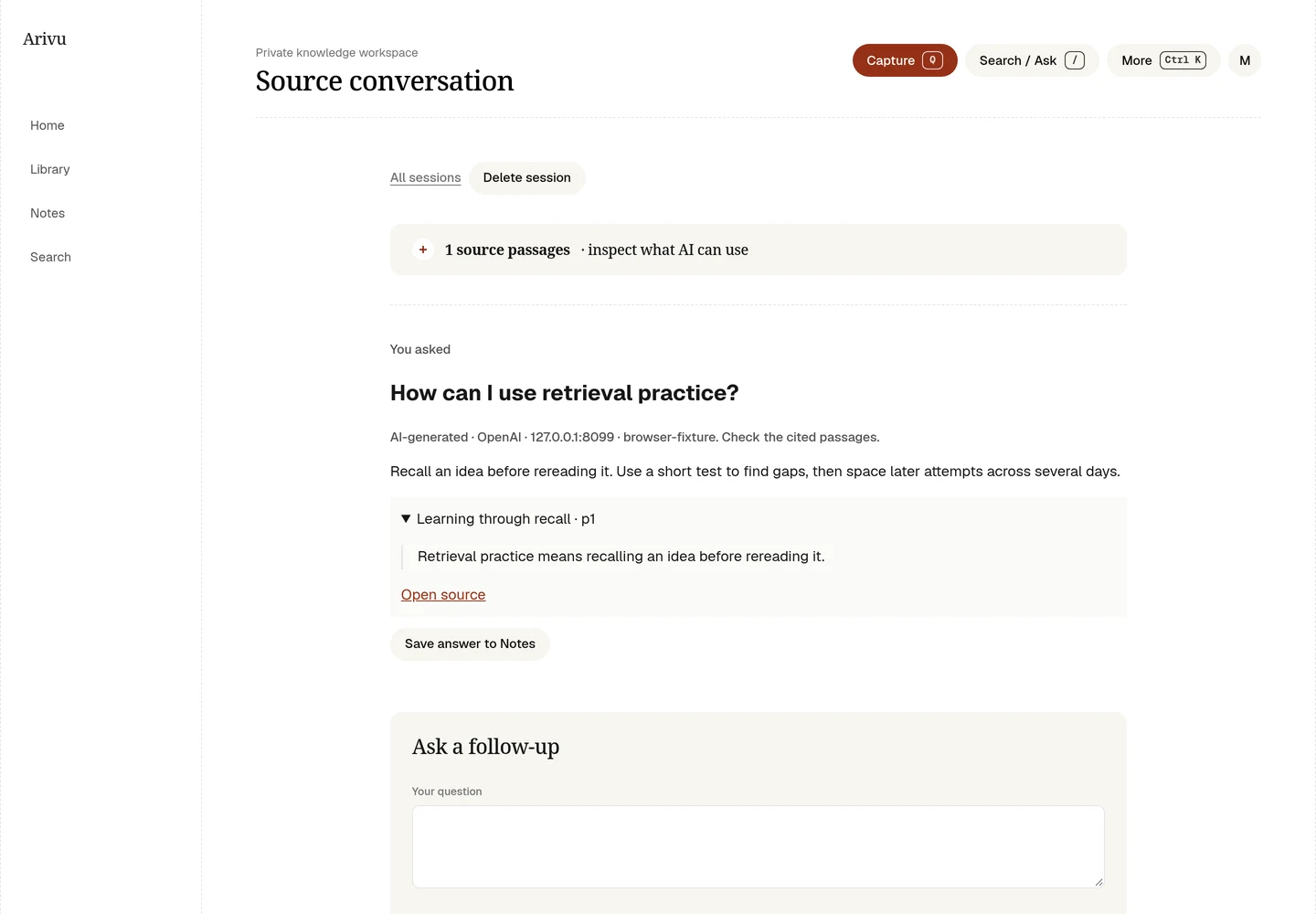
Save an answer to Notes when it earns its place. The note stays editable and keeps the quoted evidence, the source links, and a label saying AI wrote it. Generated answers are never used as original evidence in later sessions. You can also save a plain passage without any AI.
Practice, no streaks
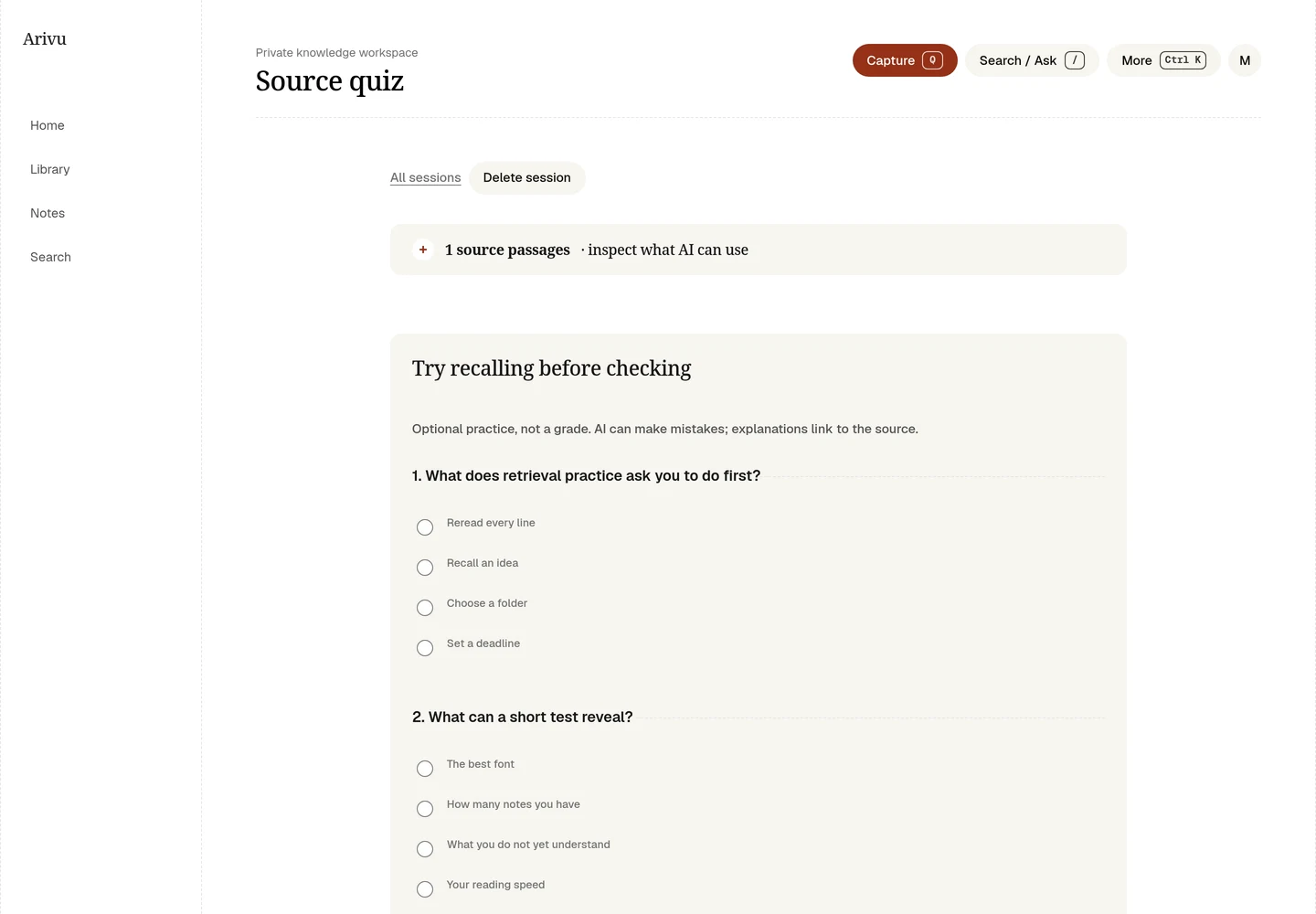
Choose Quiz me for three questions with four choices each. Answer all three before Arivu shows the right answers, explanations, and quotes. There is no streak, deadline, or study schedule.
Keeping and changing things
Sessions are included in full JSON backups. Deleting a session removes its saved excerpts but keeps any notes you already saved from it. If you delete or edit a source, new questions stop until you start a fresh session, so you never chat with text that no longer exists. Earlier session excerpts stay until you delete the session.
The full workflow is in Search and Ask.